Your studio.
Finally all in one place.
Stop juggling Calendly, Zoom, Venmo, and spreadsheets. One platform built the way music teachers actually work.
Bookings · Payments · Video · Student CRM · ✦ AI lesson notes
Teaching is your talent.
Admin shouldn’t steal your time.
One link replaces them all — and looks like it was made for your studio.


- Branded booking page
- Card payments via Stripe
- Video room + recordingStudio
- Student profiles
- Auto-pay
- ✦ AI lesson notesPro+
Four things, done right.
Your booking page. Their first impression.
Branded for your studio — no raw Calendly link, no generic link tree. Students or parents pick a slot, your Google or Apple calendar updates, and the lesson appears everywhere it should. No more double-bookings.
Get paid before you teach.
Card on file via Stripe. Auto-charged before each lesson — at booking for one-offs, 24h ahead for recurring. No awkward Venmo requests, no unpaid invoices, no chasing.
A music room, not a meeting room.
Built for music, not meetings. Music Mode preserves the full audio range so you hear the real tone. Sync-play streams a backing track to your student in pristine quality — they practice along to the same audio you're playing. One lesson link opens in any browser — no Zoom, no app, no signup.
Every lesson, remembered.
Cadence's AI listens to each lesson and drafts the notes for you — so you remember Sienna's been working on the Bourrée for three weeks, and what to circle back to next time. Notes never go out without your okay.
Your studio, at a glance.
Today's schedule, who hasn't paid, which lessons need notes — one tap to fix any of it.
Good evening, Maya
Monday, April 27 · 3 lessons today
Jasper has an overdue invoice.
Send reminders →4 recent lessons are missing notes — including Sienna.
Write notes →Notes that write themselves.
Record the lesson. Cadence drafts the summary, the practice plan, and the next-lesson focus — in your structure. Notes never go out without your okay.
Five studios.
Beautiful enough to bookmark.
Your public booking page is the front door of your studio. Parents bookmark it, students share it, you list it on your bio. Pick a theme — make it yours.
Five studios. One link.
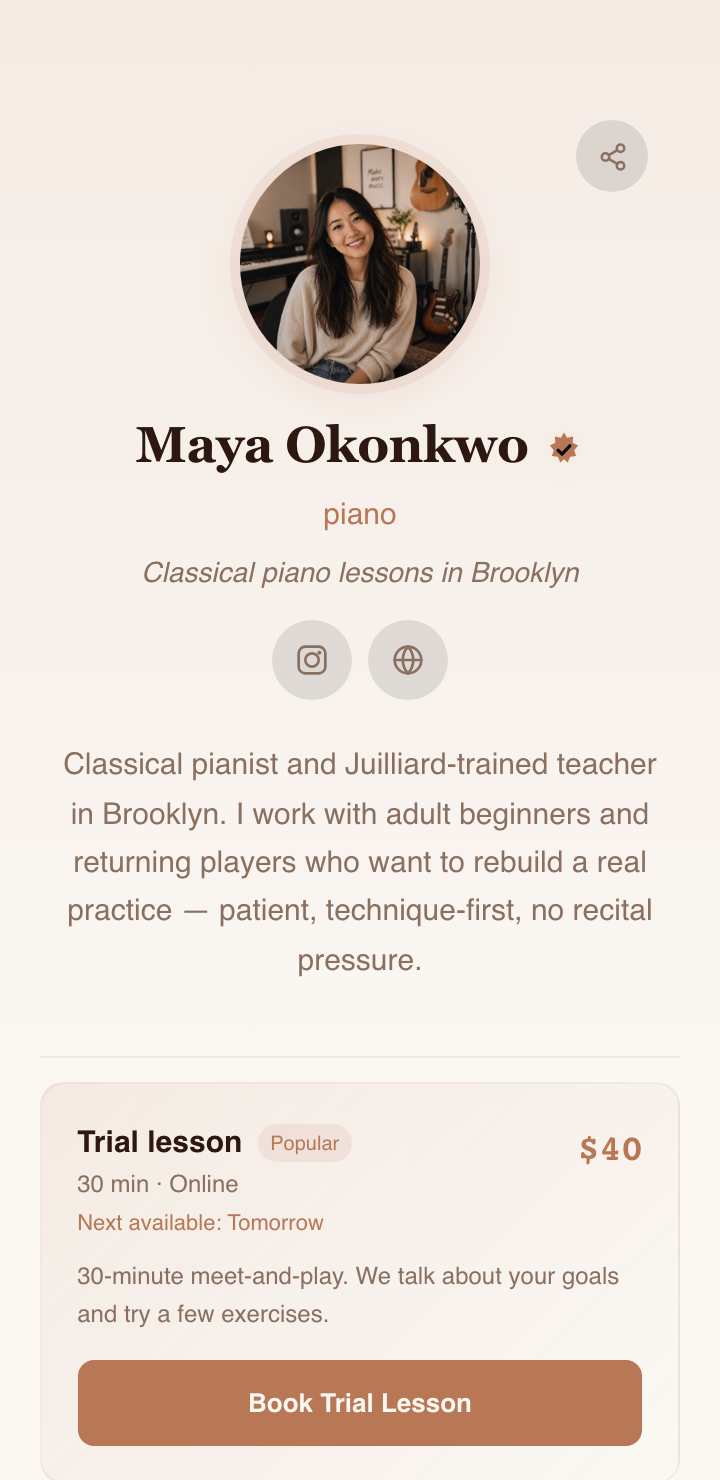
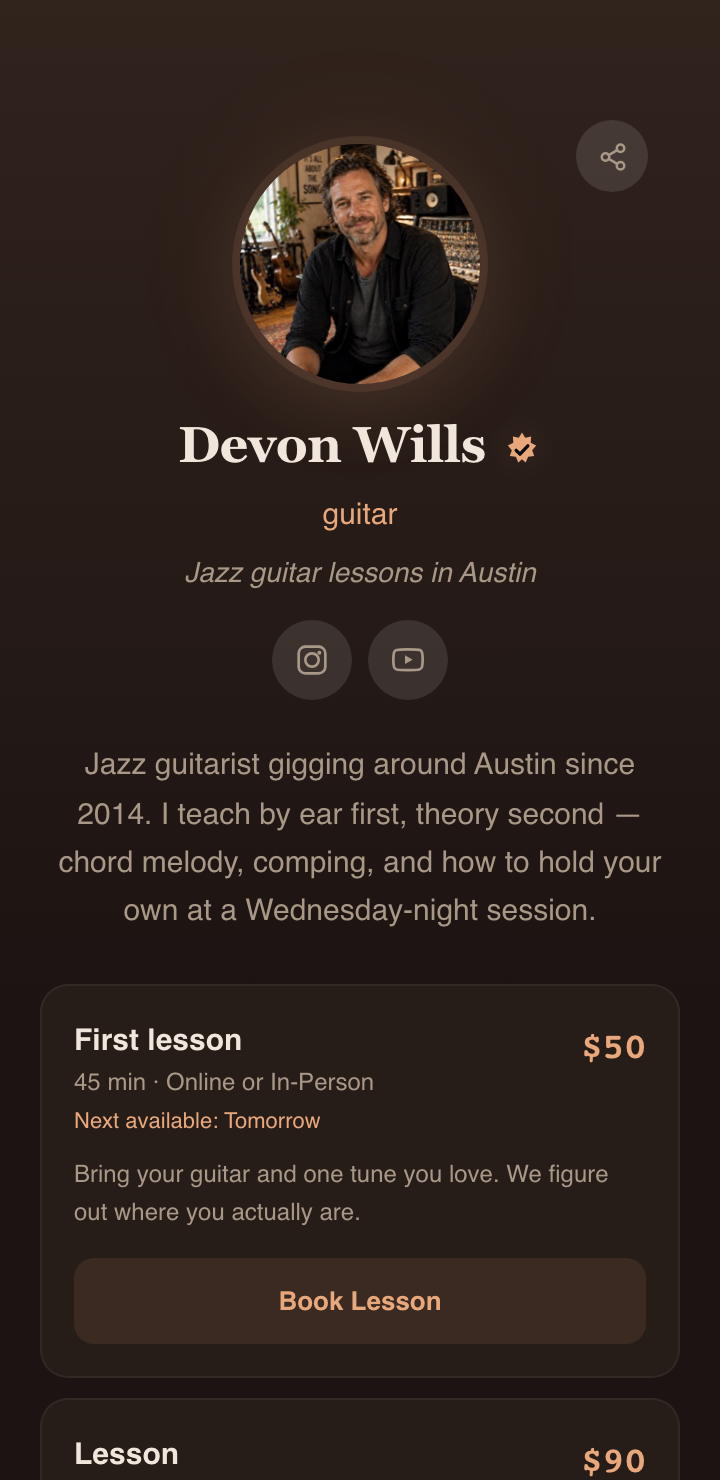
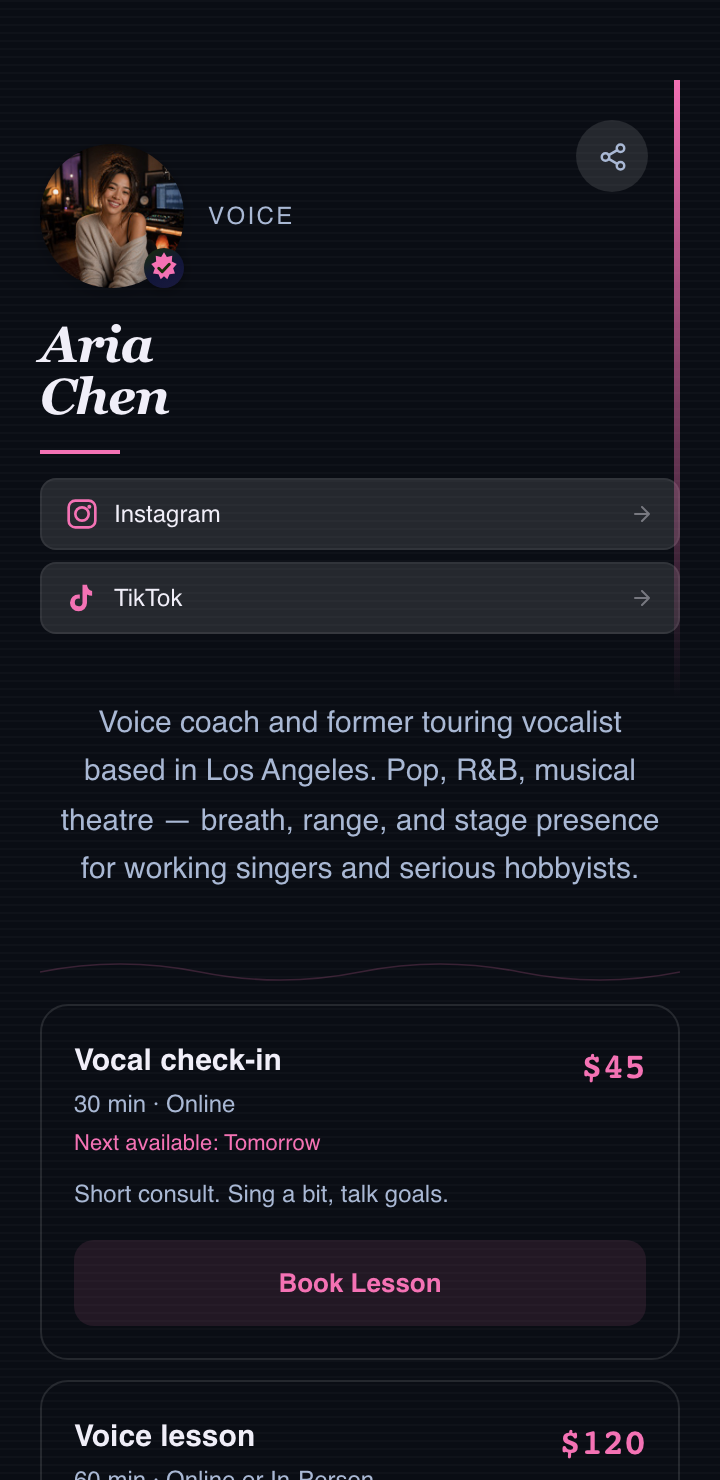
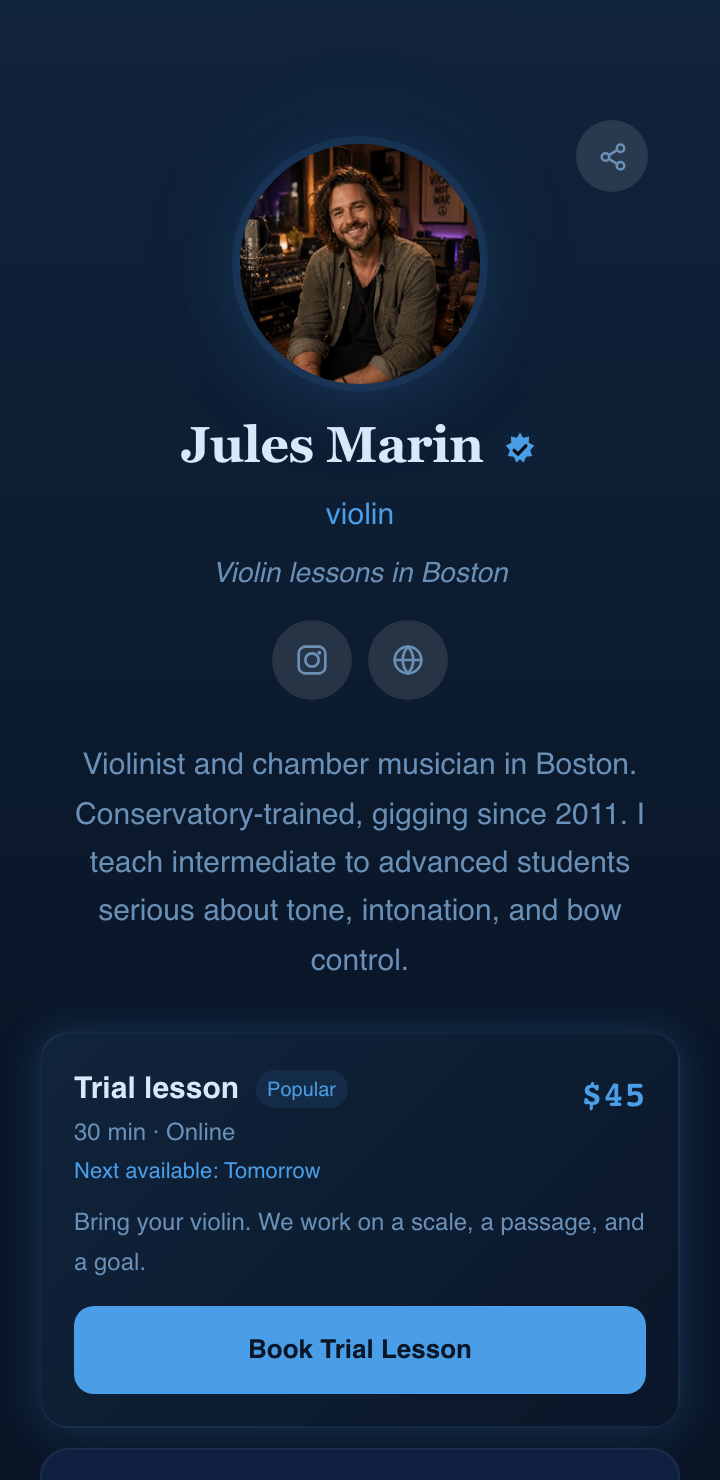
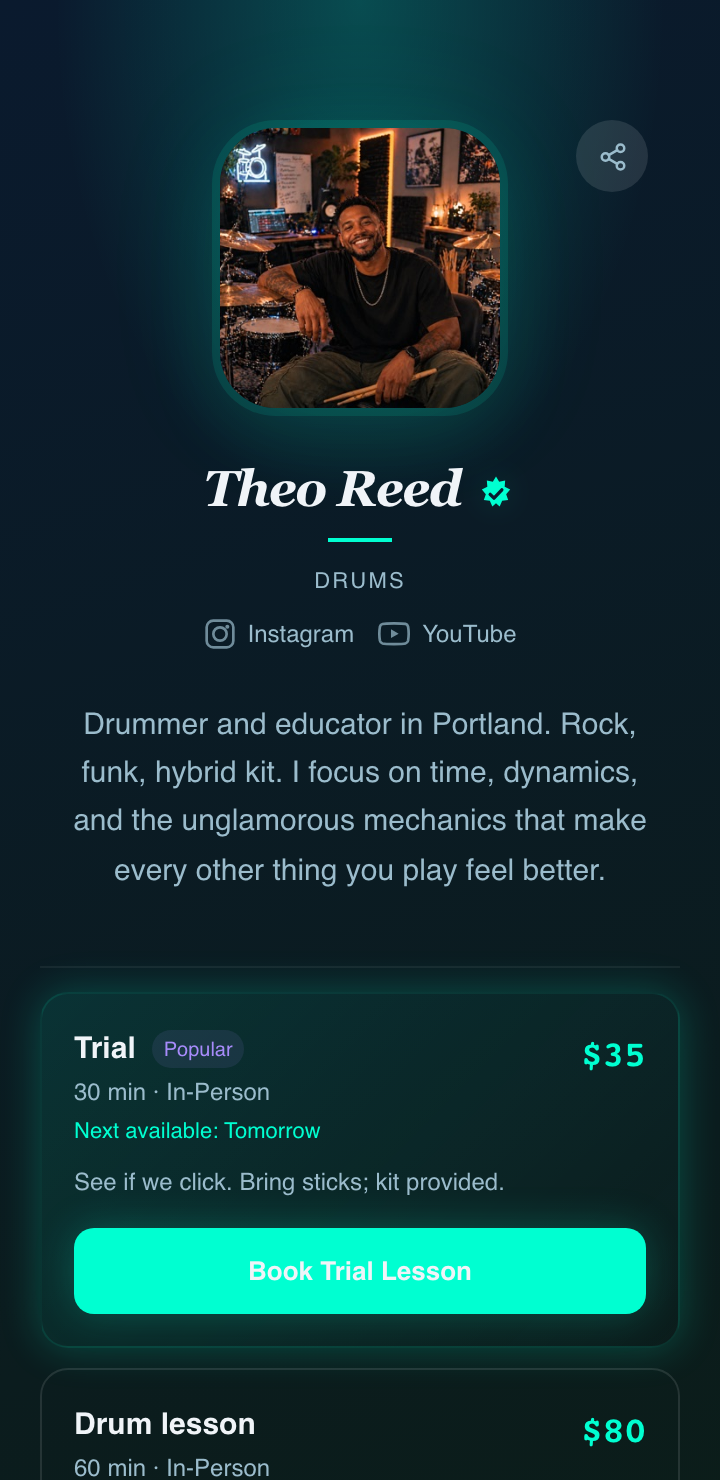
Make yours.
A starting taste below. Pick the one that fits your studio.
Priced per teacher, not per student.
Start free forever. Upgrade when you outgrow it. Cancel from inside the app, no email required.
- ✓Public booking page
- ✓Up to 5 students
- ✓Card payments · 2.9% + 30¢
- ✓Bring your own Zoom
- ✓Basic email reminders
- ✓Unlimited students
- ✓Booking themes
- ✓Auto-invoicing & receipts
- ✓All 7 email templates
- ✓✦ AI lesson notes — 80 / month
- ✓Basic analytics
- ✓Everything in Pro
- ✓Built-in video room (Daily.co)
- ✓Cloud recording — 7 days
- ✓✦ Auto-notes from recordings
- ✓Custom domain & logo
- ✓Priority support
Questions teachers actually ask.
Does cadence take a cut of my lesson revenue?
No — cadence takes no cut. Students pay through your own Stripe account; we orchestrate the checkout but the money flows directly to you. Stripe's standard processing fee (2.9% + 30¢ per card charge) is the only cost on each lesson.
Can I keep my existing Zoom and Stripe accounts?
Yes. Cadence connects to your accounts via Zoom OAuth and Stripe Connect — we orchestrate, you own. Disconnect anytime; your accounts and history stay yours.
What's the built-in video for?
Studio plan includes HD video built into the lesson page — students click a link and they're in, no Zoom account or download needed. Lessons record automatically (7 days storage; 30 with the add-on), and the recording feeds the AI to draft your notes. Free and Pro use your existing Zoom account instead.
What does the AI lesson notes feature actually do?
After each lesson, Claude drafts a structured summary — what you worked on, what to practice next, what's improving. You review and edit before it sends to the student. 80 notes per month on Pro; included as auto-notes on Studio.
Is the Free plan really free forever?
Yes. 5 students, scheduling, Stripe payments, and basic email reminders — no time-limited trial. Many studios stay on Free forever; that's intentional.
What does “private beta” mean?
We're hand-selecting working music teachers right now. Beta users get a direct line to the team — feature requests and bugs go straight to us, not a support queue.
What happens to my data if I cancel?
You can export everything (students, lessons, notes, payments) as CSV and PDF anytime. On cancellation, we delete your data on request.
I used to spend Sunday nights chasing Venmo and rebuilding my schedule on a spreadsheet. Now my studio runs on a single link I'm actually proud to put on my bio.

Your studio.
Finally all in one place.
14 days of Pro, on the house. No card. Bring your students whenever you're ready.